01The owner’s dashboard: break-even in real time
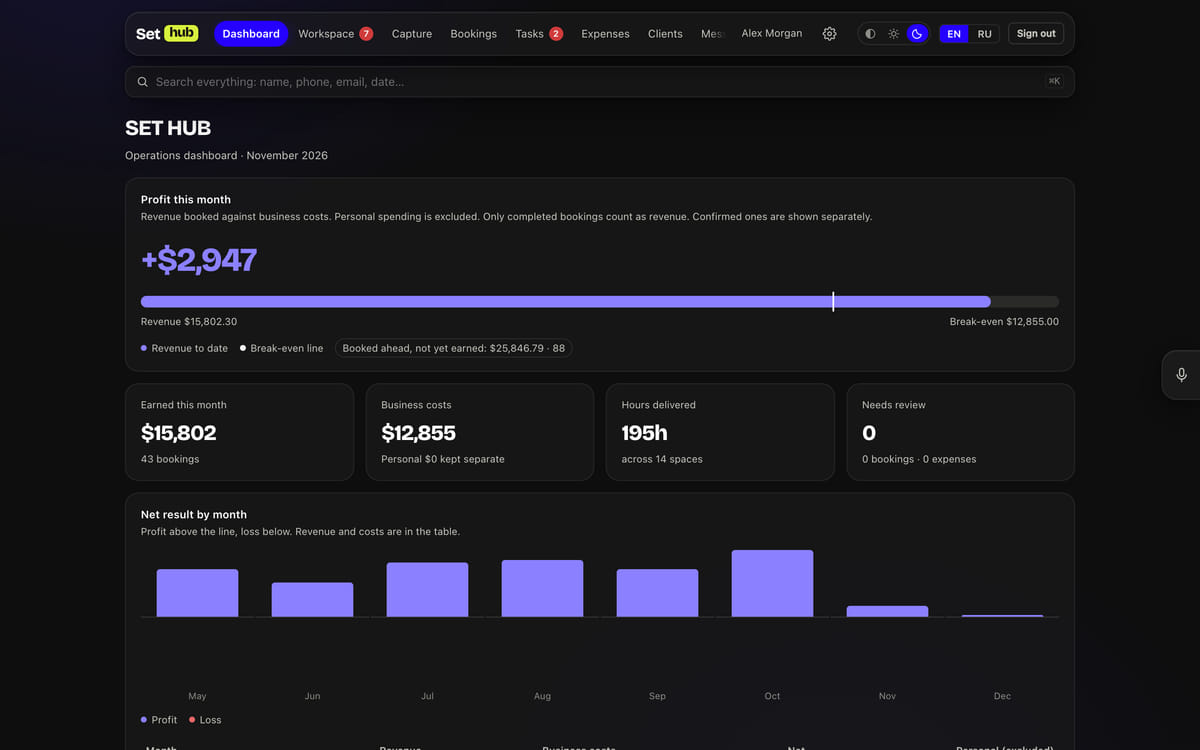
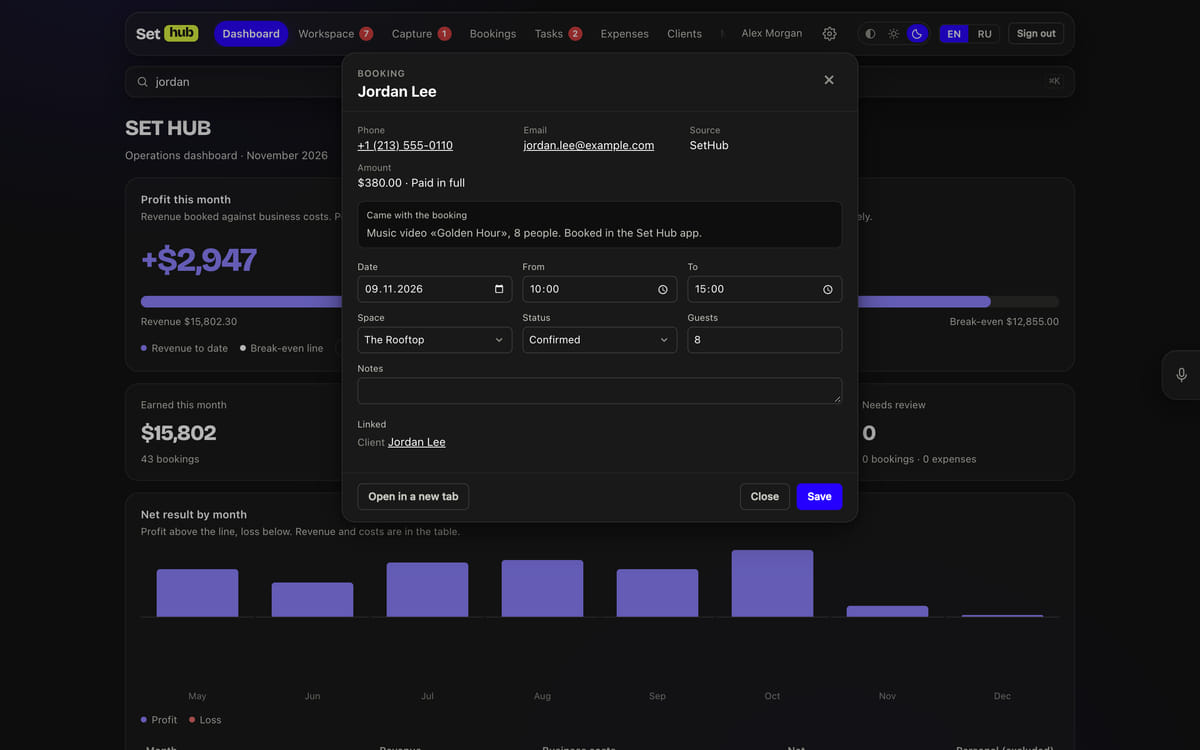
The main screen shows what the studio has earned this month against business expenses, and where the break-even line falls. Revenue counts only bookings that have already taken place; confirmed future ones sit on a separate “booked ahead” line, so that what’s hoped for isn’t passed off as earned. The owner’s personal spending carries its own flag and stays out of the business P&L — only the owner sees it. Below are the monthly totals, occupancy and revenue for each of the 19 spaces, and the share of each channel.
02A double booking is a refusal, not a warning
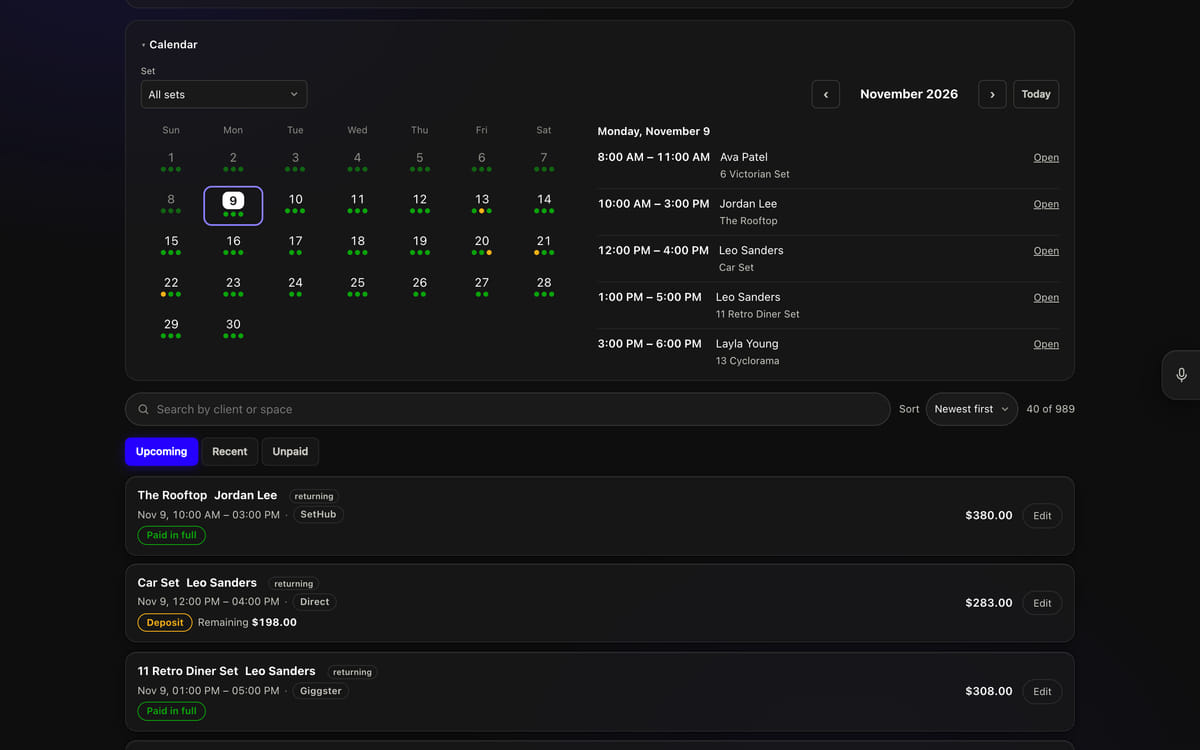
One function checks overlapping bookings for every entry point: the form, “Capture”, the app, platform emails and AI commands. The whole studio closes the 16 sets inside it, any set closes the studio, and the rooftop and the car stage only close themselves. A deliberate double booking is possible only through the “Save anyway” button, and the form keeps everything already typed in. Overlaps already on the books are collected in a red block above the booking list. Payment is changed with separate buttons — deposit, balance, refund — and “Save” leaves it alone.
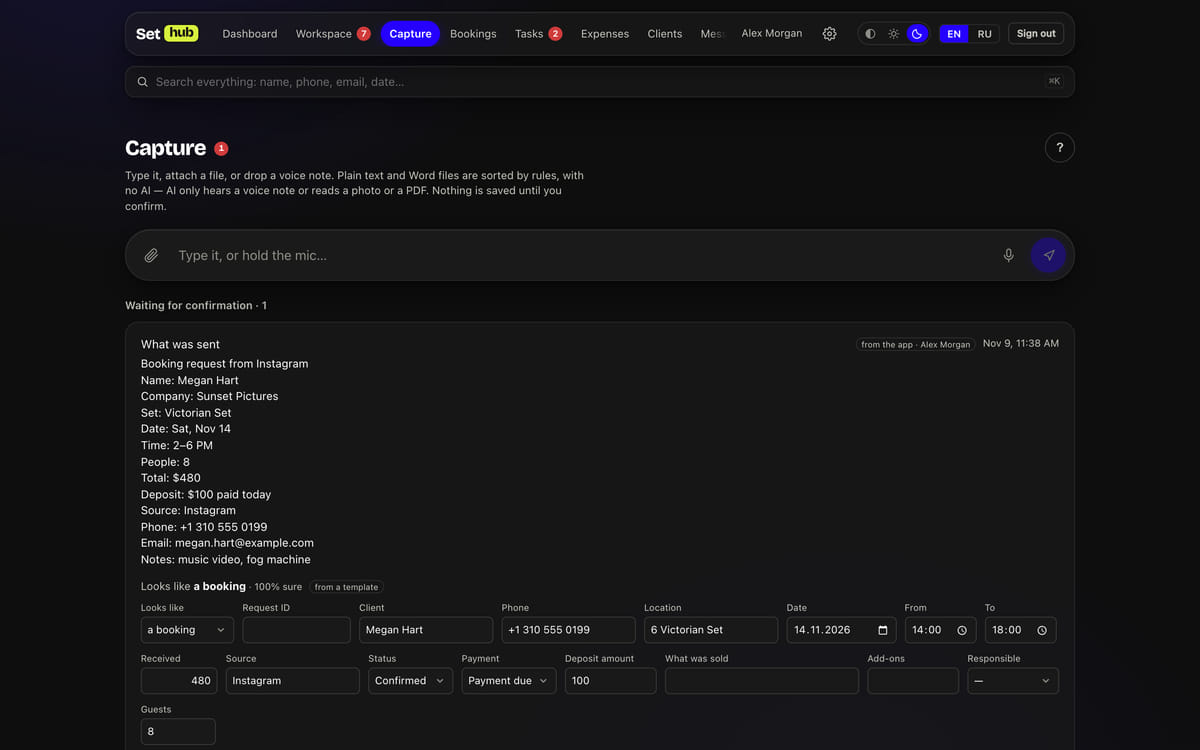
03“Capture”: any message becomes a draft record
A text, a photo of a receipt, a PDF, a voice note, a Word file — one window for all of them. Plain text is read by rules, without AI: date, time, amount and deposit, contacts, space, source, staff member, known client; guesses are highlighted and confidence is shown as a percentage. The model is only needed for what isn’t text: voice, photos and scans. The same message from the same person within ten minutes returns what was already created instead of making a duplicate. Nothing is saved until a person confirms it.
04The manager’s workspace: what to do right now
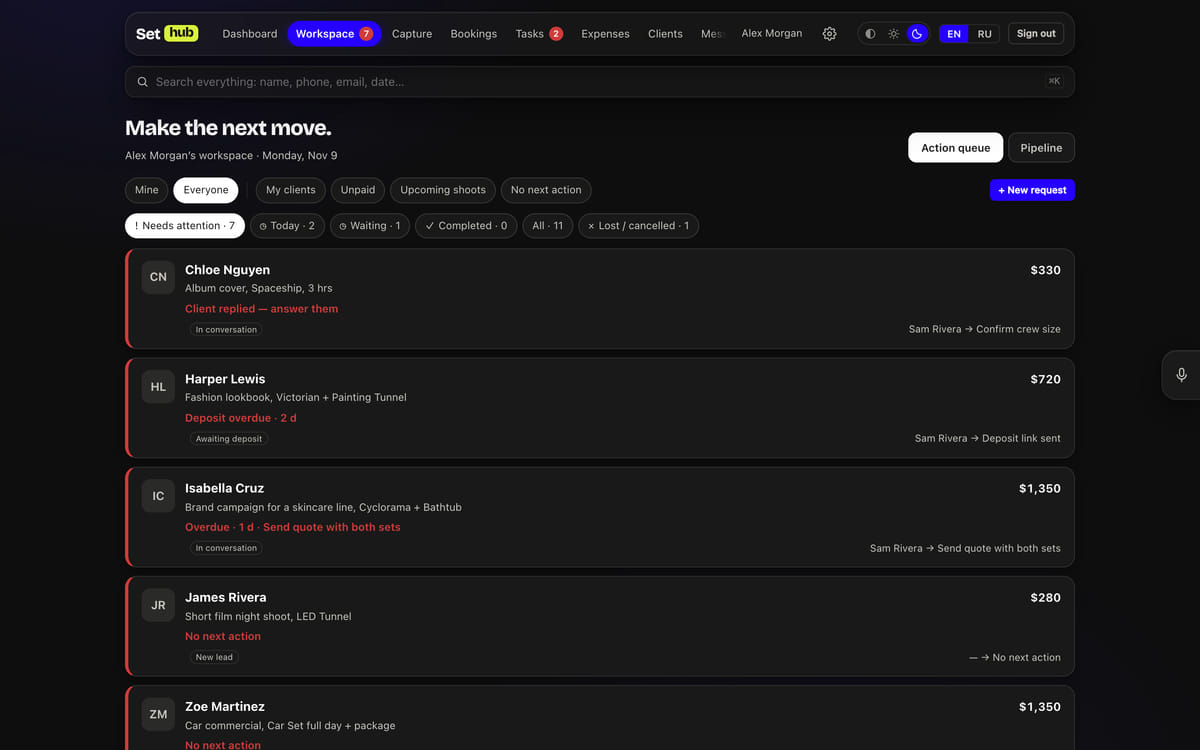
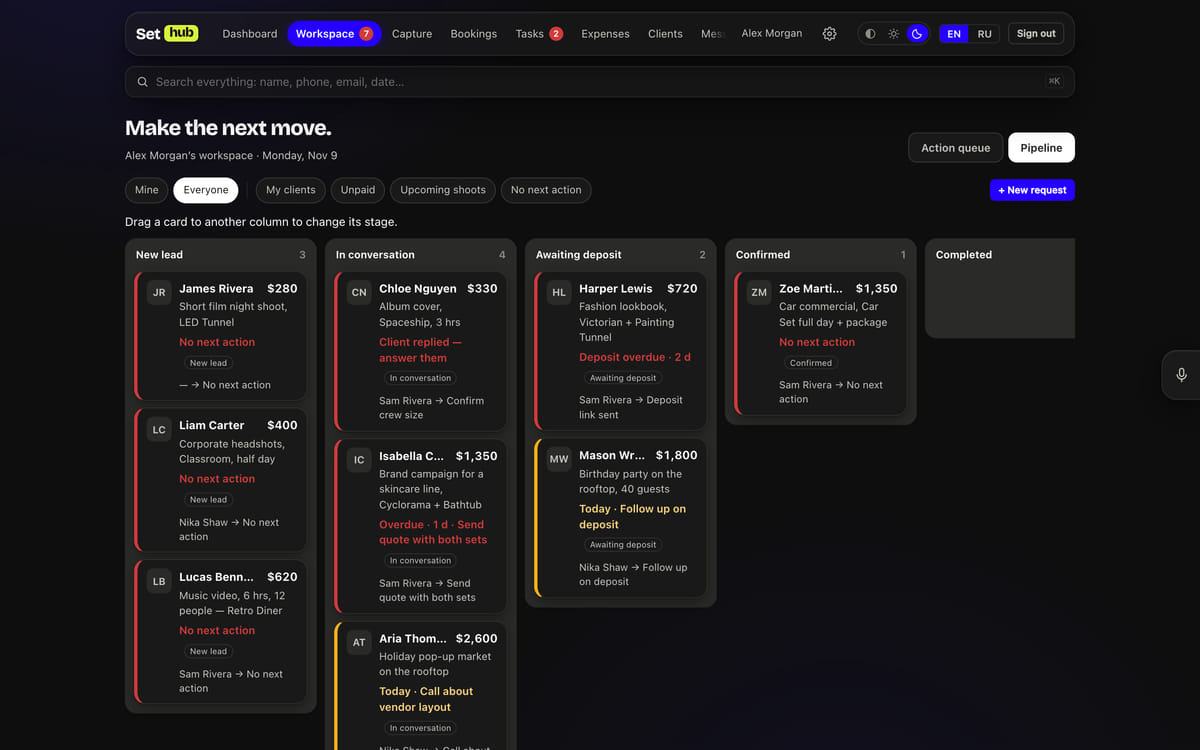
Every enquiry gets an SH-xxxx number and moves through stages: new, talking, awaiting deposit, confirmed, completed or lost. The attention level isn’t stored but calculated: the client replied — “answer them”; a deposit two days overdue; no next action — all of it turns red and goes to the top of the queue. The count in the menu comes from the same rule, so it never disagrees with the list. For an overview, there’s a board where cards are dragged between stages.
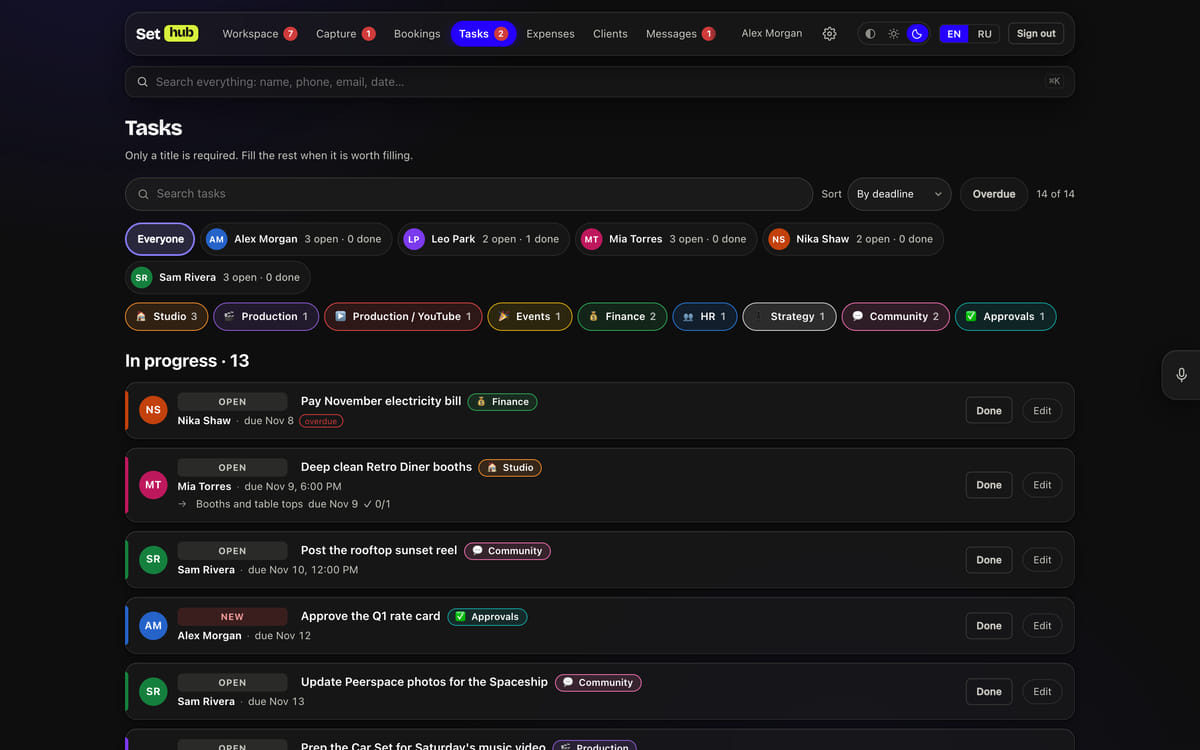
05Tasks whose deadlines don’t slip silently
Deadlines and assignees are set by the owner and the manager; a staff member can’t edit a deadline, only request a move with a new date and a reason — and that rule is enforced on the server, not in the form. Tasks have checkpoints: the manager marks them done or missed, the assignee writes an explanation, and once marked, a checkpoint can no longer be edited. Reminders arrive an hour before the deadline, when a task is overdue, and every morning between 9:00 and 20:00 studio time. Each person has their own colour, and tasks are grouped by assignee with an “open · done” count.
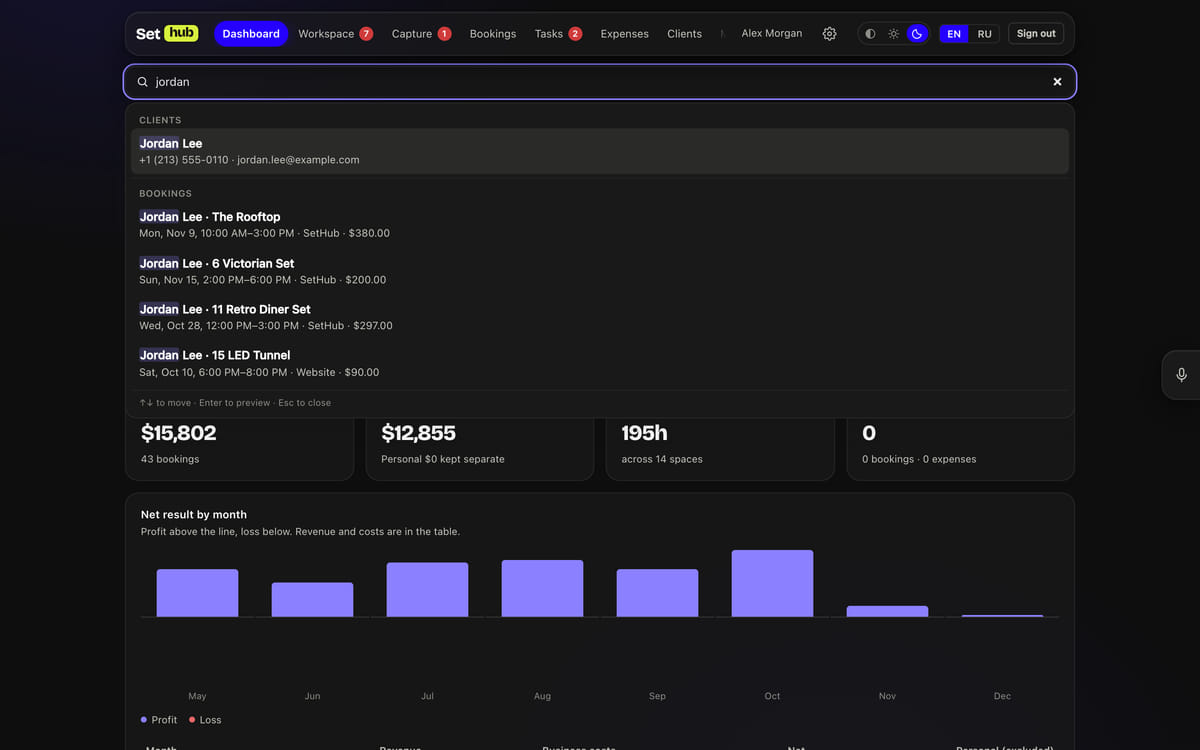
06Typo-tolerant search in tenths of a second
⌘K searches clients, bookings, enquiries, tasks and expenses at once: word prefix, substring and pg_trgm trigram similarity — “victorain” finds Victorian. A phone number is found by its digits in any format, a date in any form — “11/5”, “5 Nov”, “Nov 5” — and an amount with or without the dollar sign. A result opens in a window over the page: edits are saved in place, whatever was typed in the form underneath isn’t lost, and the permissions are the same as the page’s.
07Platforms and payments — no human in the loop
Every five minutes, a script in the studio’s mailbox sends over the Peerspace and Giggster emails: “booked” becomes a paid booking with the platform fee and the studio’s payout, a change moves the booking that already exists, a cancellation takes it off the schedule, and each payout is matched by guest and amount. A booking records itself only from an email that passed DMARC and was read in full. A Stripe payment arrives via a webhook with an HMAC signature check and becomes a booking with the invoice line items — exactly what the guest paid for.
08Notifications: to each their own, in their own language
Every action is written to the log and turned into notification lines for whoever needs them by role: the manager gets new enquiries, an assignee gets their tasks, the owner gets everything except their own actions. Lines pile up until a minute passes with nothing new and go out as one email; browser push is encrypted to the Web Push standard with no third-party libraries; Telegram gets a single message with a button. English is the default language; Russian is each person’s choice.
09AI assistants over MCP — with a person’s permissions
ChatGPT and Claude connect to the CRM as an MCP server with OAuth 2.1 sign-in: PKCE S256, an allowlist of redirect URIs, refresh-token rotation — and reusing a token that has already been replaced counts as theft and revokes access entirely. The 26 commands — bookings, tasks, clients, enquiries, expenses — check the same roles as the pages, and none of them deletes anything. Changing a password or a role, or disabling an account, kills browser sessions, phone keys and AI access.