01Booking on a time tape
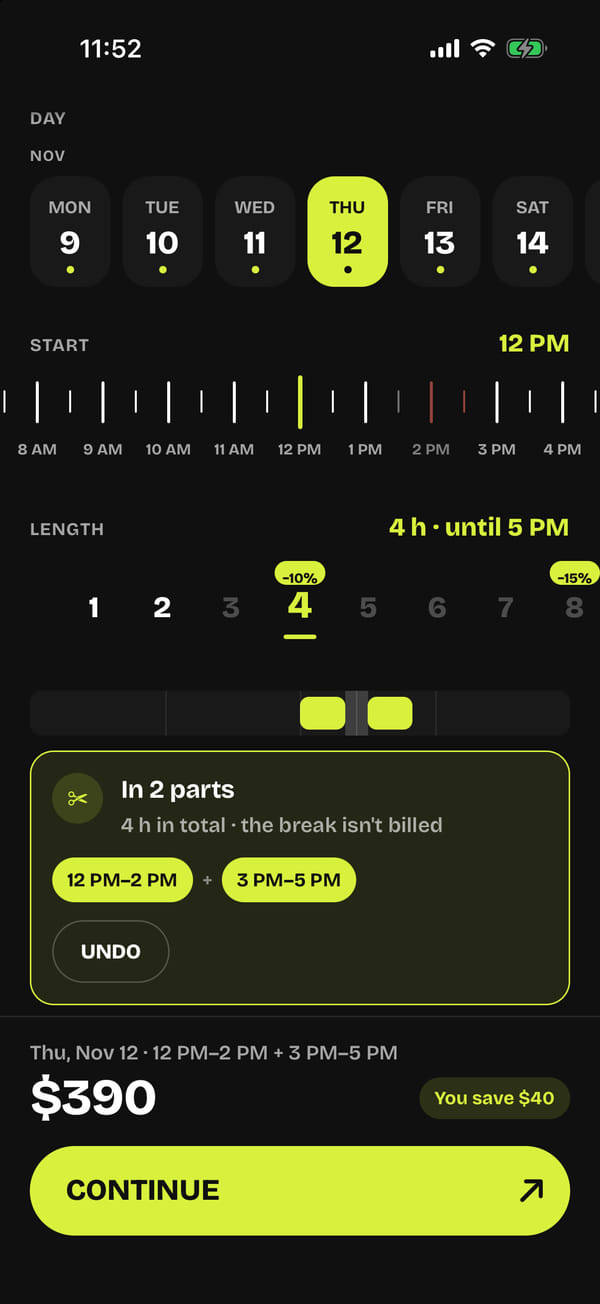
The day, start and duration are picked on tapes marked in half-hour steps, and availability is calculated from the bookings of every channel — Peerspace, Giggster, the website, direct. The server does the pricing: 10% off from 4 hours, 15% from 8, a full day at a fixed price, add-ons and cleaning. The slot is held for 35 minutes while the guest pays in Stripe Checkout: the check and the write happen under a database lock, so two guests can’t take the same hour, and a timer releases unpaid holds.
02Booking around a taken hour
If something in the middle is taken, the app offers to split: noon to 4 with 2–3 taken becomes 12–2 and 3–5 for the price of one booking, and the break isn’t billed. Each segment is a booking of its own for the calendars and the double-booking check, while the amount, payment, emails and review stay with the first one. The minimum segment, the maximum break and the number of segments are set by the owner in the CRM, and the server won’t accept a booking that breaks those rules.
03A set from a reference photo
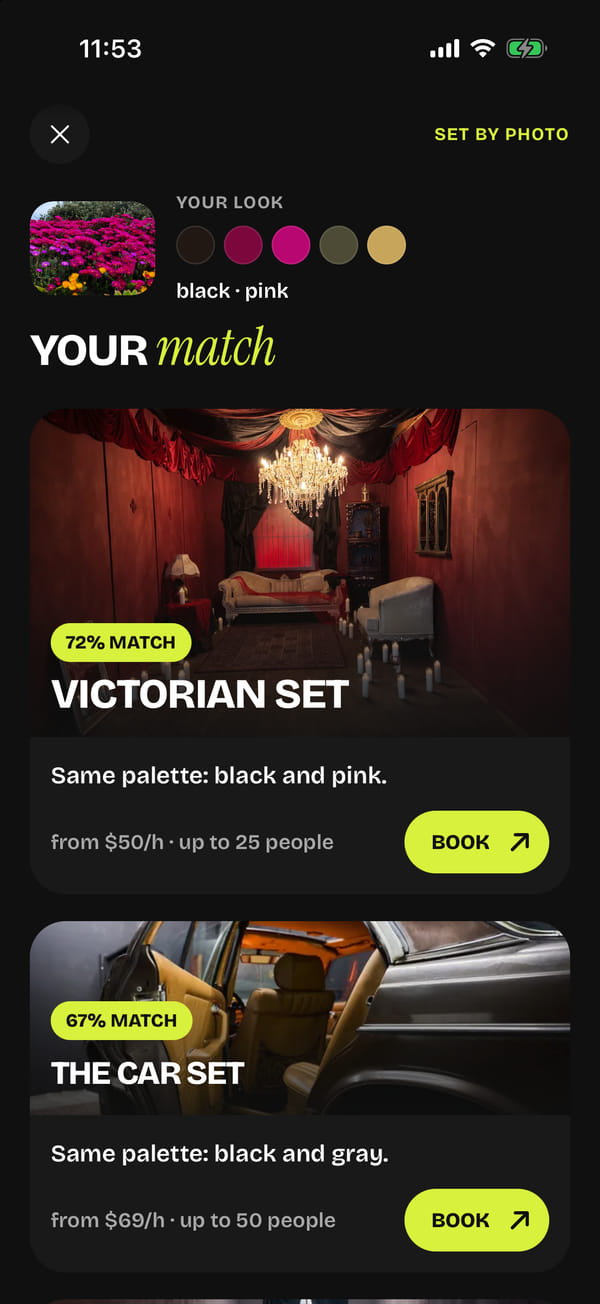
The guest shows a mood board or a still from a music video, and the server compares it with a contact sheet of the main photos of all 19 sets and returns three sets with a match percentage and an explanation. The model’s answer is held to a strict schema: the set name can only come from the studio’s list. Without the model, matching falls back to the palette: k-means on a 48×48 version of the image against the sets’ palettes. On an iPhone with Apple Intelligence, sets can also be found through Visual Intelligence. The photo is never stored anywhere.
04Golden hour on the rooftop
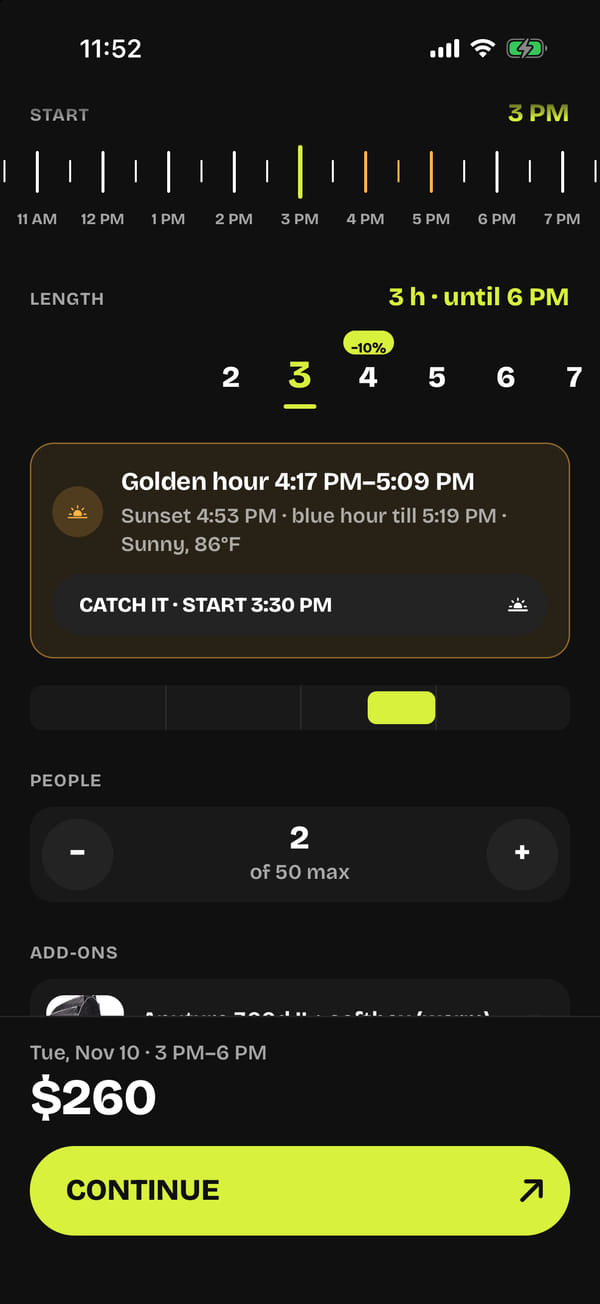
For the rooftop, the app calculates the sun’s position with the NOAA formula for the studio’s coordinates, taking clock changes into account — sunset, golden hour and blue hour to within ±3 minutes — and pulls the forecast from the US National Weather Service. Golden-hour ticks on the tape are highlighted in amber, and the “Catch it” button sets the start half an hour before it.
05Shoot day: how to get in, even offline
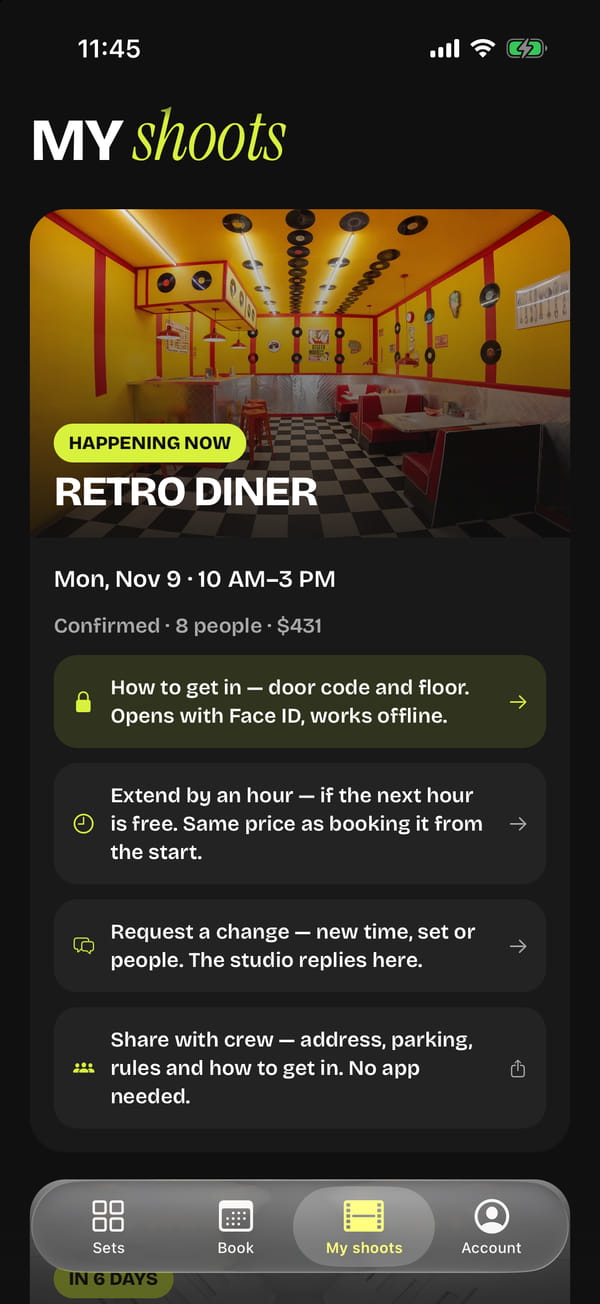
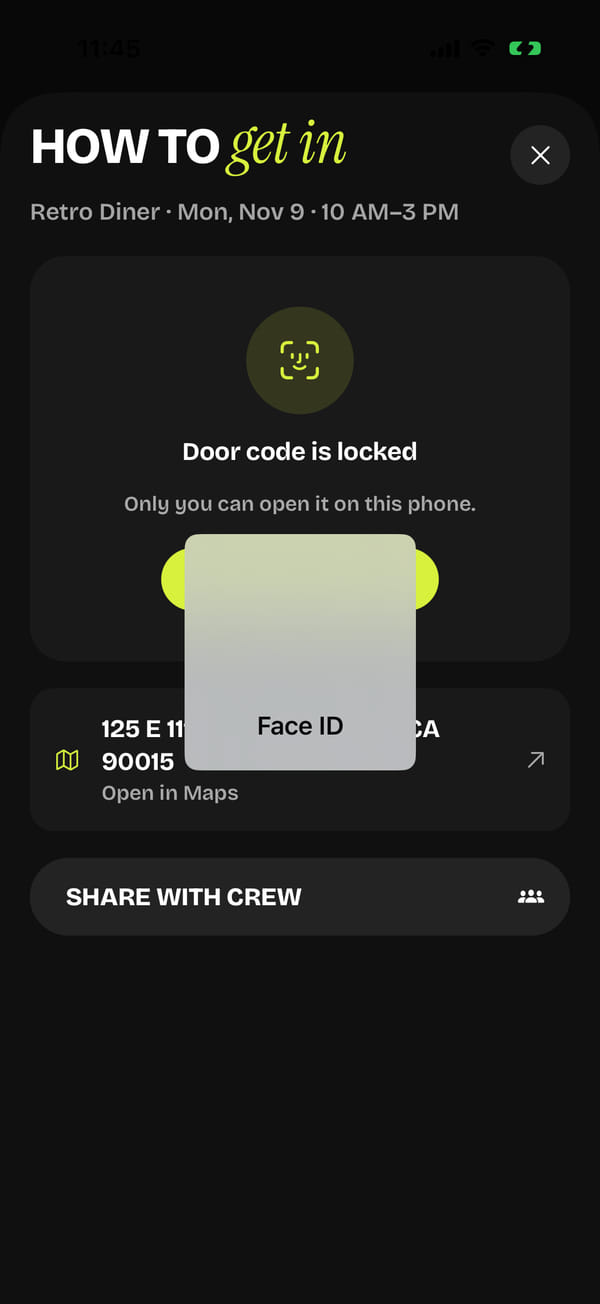
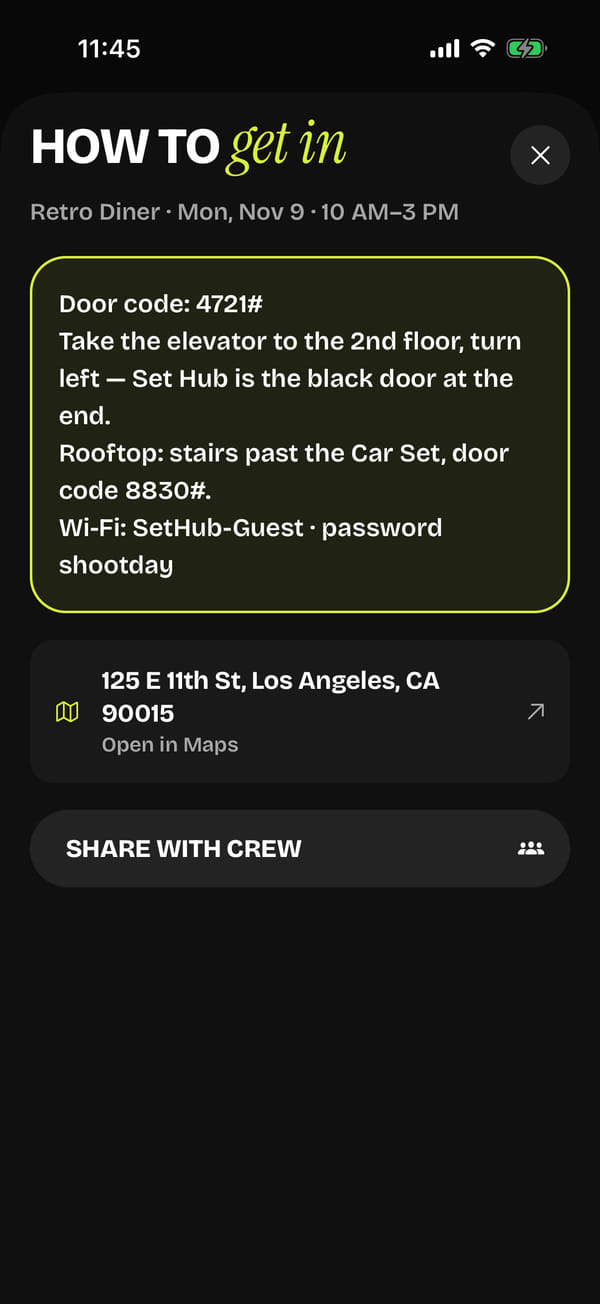
A day before the start, “how to get in” opens up: the door code, the floor, the Wi-Fi. The text sits behind Face ID, hides when the app goes into the background, and until the booking ends it stays in the keychain of that phone only — so it opens even in a basement with no signal. At the door, the iPhone reminds the guest on its own: the system watches a 150-metre circle around the studio, the app doesn’t need to run in the background, and the guest’s location never leaves the phone.
06Live Activity, reminders and a one-hour extension
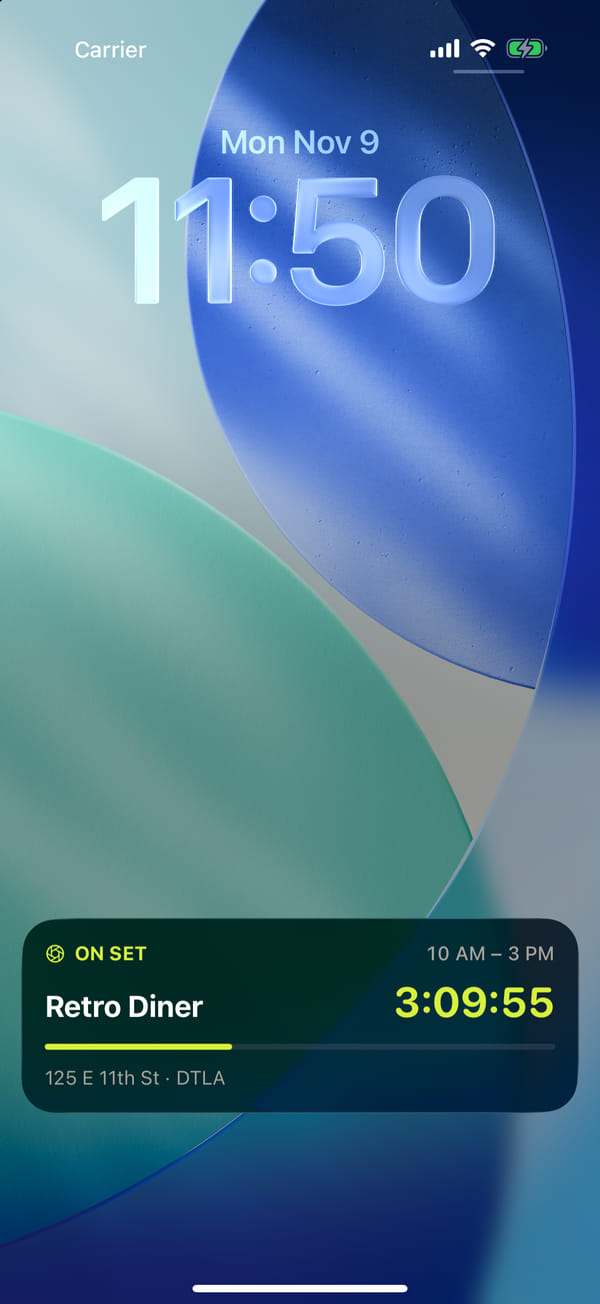
Three hours before the start, “Starts soon” appears on the lock screen; during the shoot, “On set” with a countdown and a progress bar; on Android, a pinned notification. Local reminders fire a day and an hour before. Running over? “Extend by an hour”: if the next hour is free, the booking is extended at the same price as if the whole time had been booked from the start, with a separate payment. If the time is taken, the guest can join a waitlist and get an email as soon as it frees up.
07A link for the crew, no app needed
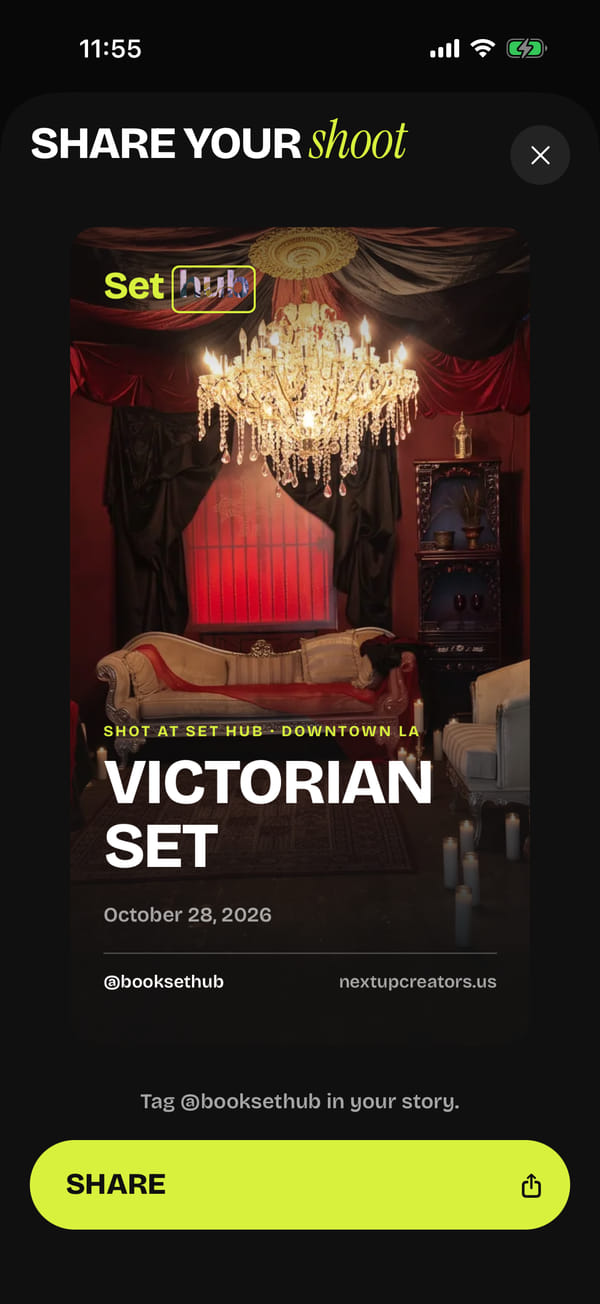
A signed link opens a page for the crew: the time, the address with maps, “how to get in”, the rules, parking, “add to calendar”. A cancellation shows up immediately, and six hours after the end the page says “That’s a wrap”. After the shoot there’s a 1080×1920 Stories card with a photo of the set, without the guest’s name or the amount.
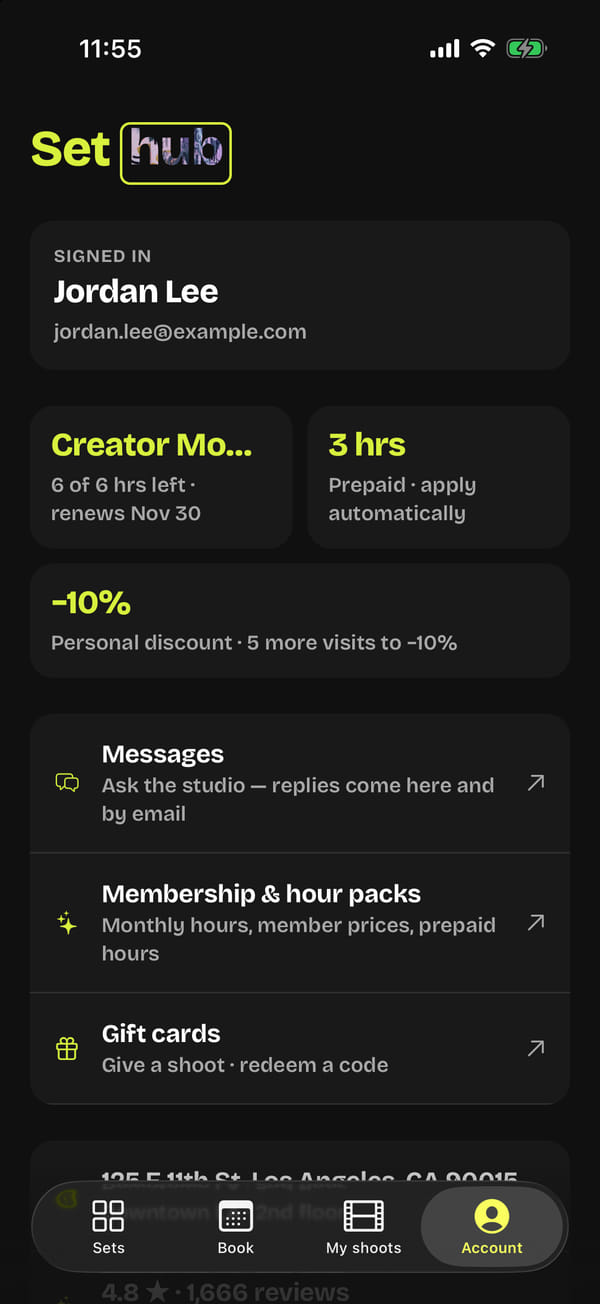
08Perks, memberships and messages
The discount grows with the number of visits, a membership is a Stripe subscription with hours each month, and hour packs and gift cards apply themselves in a strict order: membership hours, the pack, the discount, the card. Conversations with the studio happen inside the app, and “Request a change” creates a task for the manager. Account deletion is right in the app, as Apple requires.