ProjectsClient project

Set Hub Team — an app for the studio team

A native app for iPhone and Android: the team sees its day, confirms bookings and tasks straight from a notification, and records meetings with clients. Face ID on entry, client data only in memory, and the widget and lock screen show the shoot without guest names or amounts.

  • Expo SDK 58 · React Native 0.88
  • Swift · Kotlin
  • APNs · FCM direct
  • Live Activities · WidgetKit
  • Face ID · Keychain
Set Hub Team

By the numbers

29API routes just for the team app — the role trims the data on the server
30 saway from the app — and it’s locked behind Face ID or a fingerprint again
0middlemen for push: Apple APNs with JWT ES256 and Google FCM v1, straight from the server
2 hof meeting recording on the phone: 20-minute parts and a transcript with timestamps

The problem

The studio team is on its feet all day: meeting crews, moving lights, taking payments, answering guests. Opening the CRM in a phone browser to see who’s next on the rooftop is awkward, and notifications in messaging apps get lost among personal ones. Meanwhile the CRM holds guests’ phone numbers, emails and amounts, and data like that must not linger on the screen, in screenshots, in the app switcher or in backups.

What’s inside

The studio’s day on one screen

“Today” shows the shoot in progress with a countdown, the next booking, counters for enquiries, messages, drafts and tasks, and the month’s money — only for those whose role gives them access to money. A staff member gets the day without amounts, payment, source or guest contacts: the role trims the data on the server rather than hiding it in the interface.

Banking-app-grade security

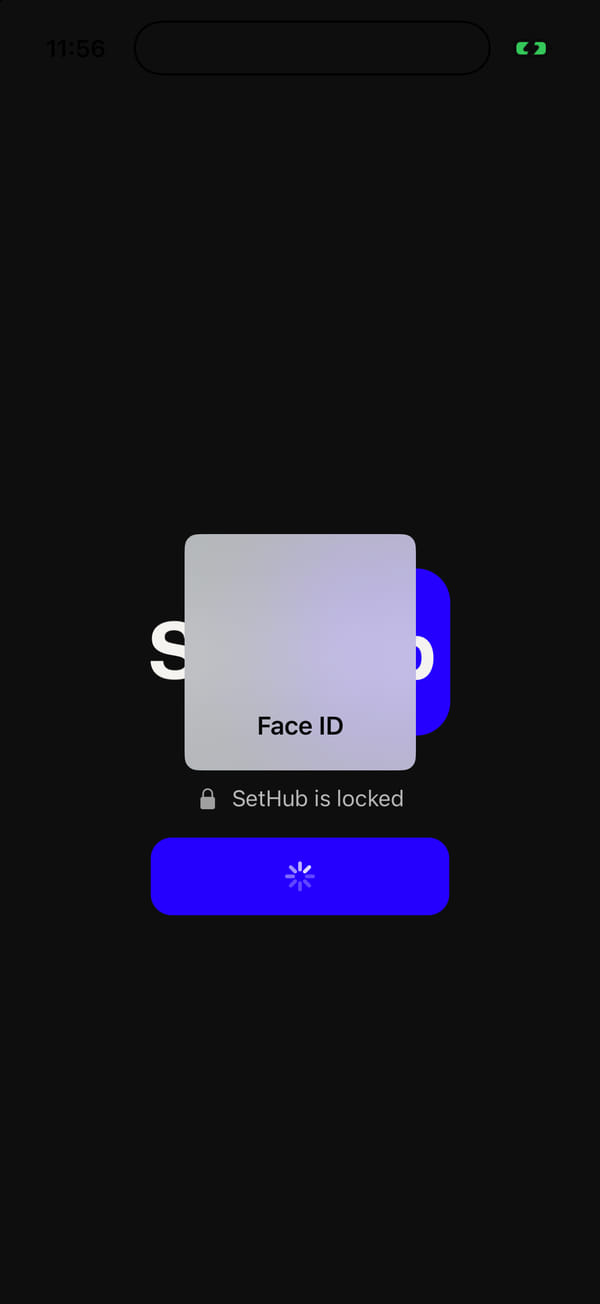
Sign-in is by email and password; after that, a device key lives in the keychain of that phone only, with no iCloud sync. Face ID or a fingerprint on launch and after 30 seconds away from the app, a privacy screen in the app switcher, screenshots and screen recording blocked in release builds, client data only in memory, Android backup turned off, network traffic over https only. A temporary password doesn’t get you in, and changing a password or role in the CRM kills the key on every phone.

Push straight to Apple and Google — with buttons

The server signs its own requests to APNs (HTTP/2, JWT ES256) and to FCM v1 with a Google service account — no Expo, no middlemen. One line means one notification; several become a digest. Notifications carry actions — close a task, take a task or an enquiry — and the server performs them even when the app is closed; repeats are safe, and if a colleague has already taken the enquiry, the app says so.

The “Shoot in progress” Live Activity

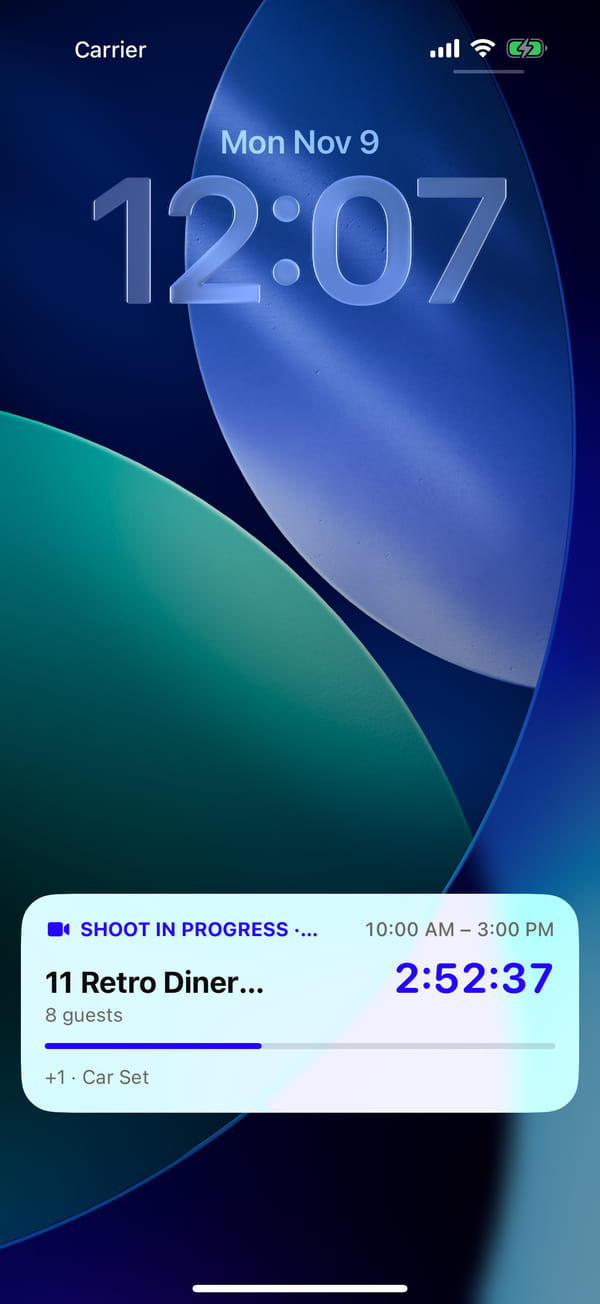
On the lock screen and in the Dynamic Island: which set is shooting, until when, a countdown and a progress bar, plus how many more shoots there are today. On Android it’s a pinned notification that clears itself when the booking ends. No guest names or amounts there: everyone around can see a lock screen.

Widgets and one-tap “Capture”

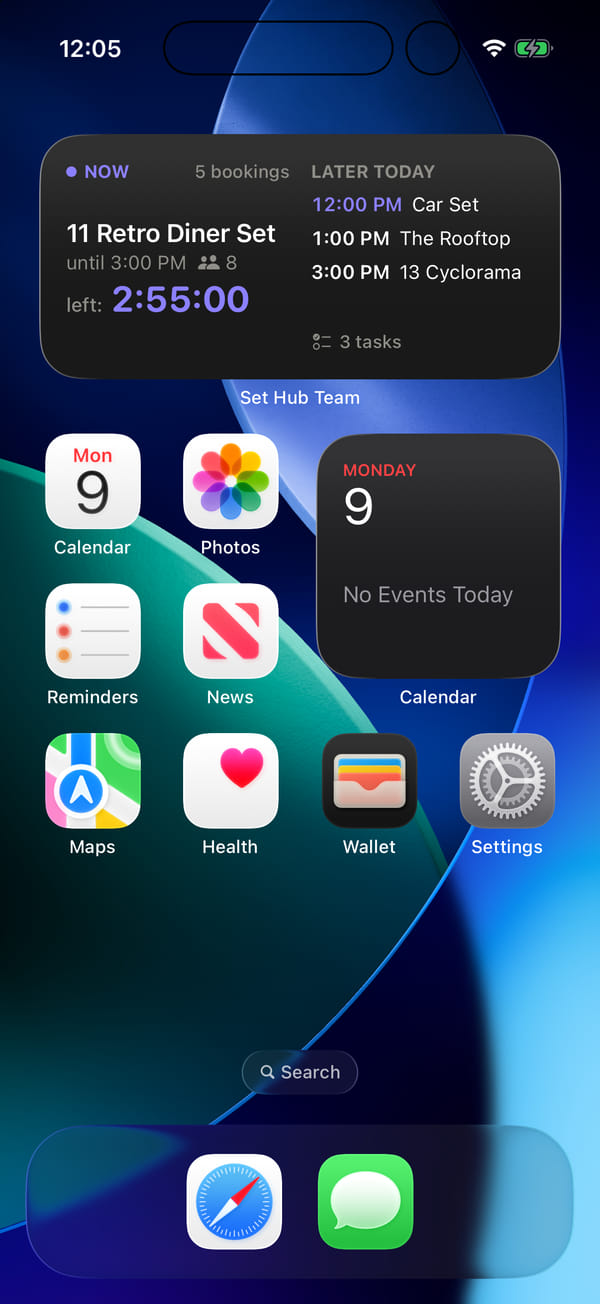
“Today” widgets for the home screen and the lock screen on iPhone and for the home screen on Android: what’s on now, what’s later, how many tasks. The system recalculates the widget’s schedule at the minutes bookings start and end and at the studio’s midnight, so it stays correct even offline. “Capture” opens from a Control Centre button, the Action button, Siri and Spotlight on iPhone, and from a quick-settings tile on Android.

“Capture” in your pocket: confirm, edit, reject

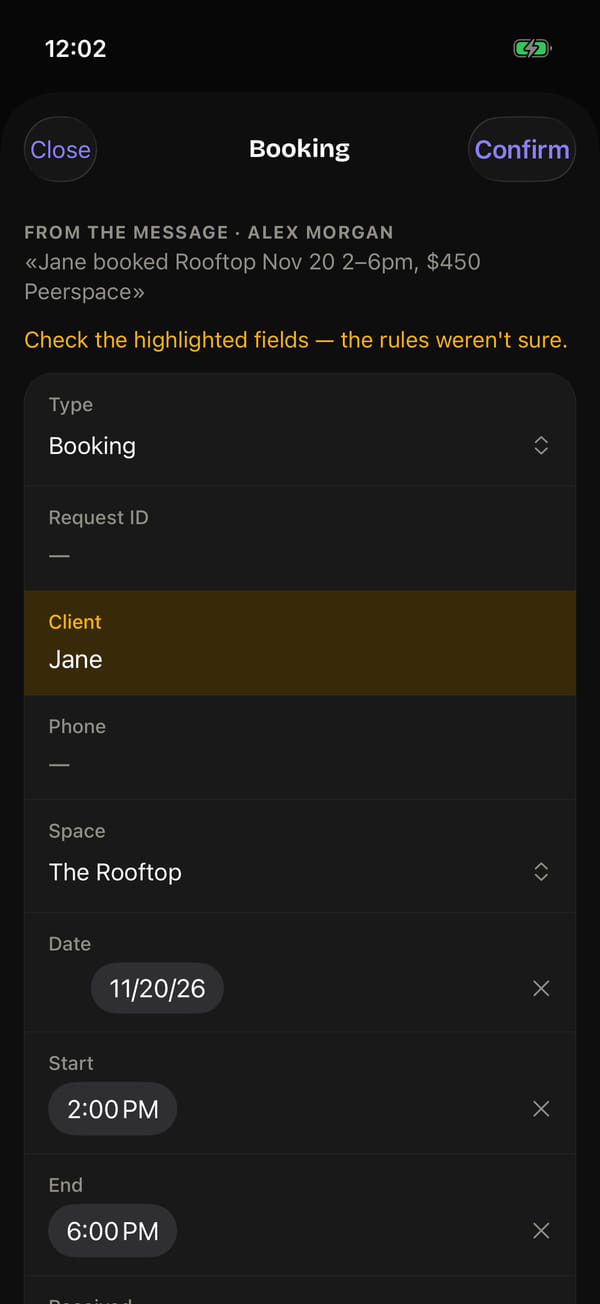
The same parsing as in the CRM: type “Jane booked Rooftop Nov 20 2–6pm, $450 Peerspace” and you get a draft booking with the doubtful fields highlighted. A confirmation queue with native menus and date pickers, and “Confirm all” in one tap; a double booking is refused with an explanation of who is already booked and where. New bookings, tasks, enquiries and expenses are created by the same server functions as in the CRM, so the rules and the log are shared.

Recording a client meeting

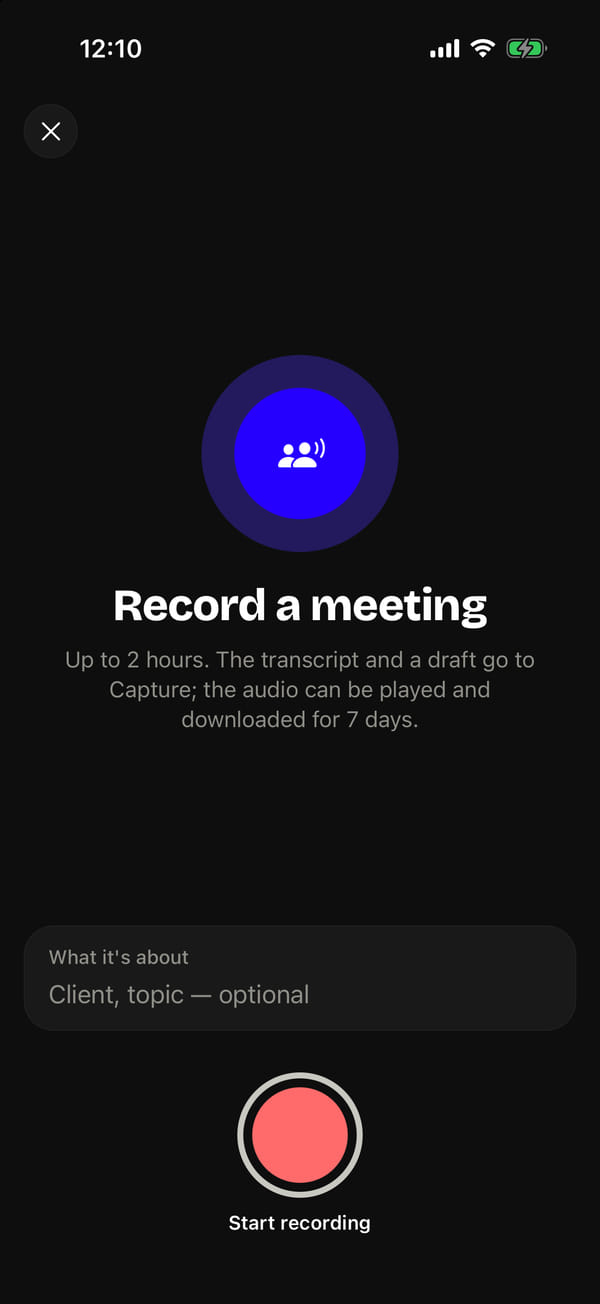
Like a voice recorder: a waveform, a timer, pause — and the phone can be locked while recording carries on in the background. Audio is recorded in 20-minute parts; the server stitches them into one file without re-encoding, parsing the MP4 container by hand, and transcribes it with timestamps per part. A couple of minutes later, “Capture” has a draft with the client, the dates and the budget, and the audio can be played back, jumping from phrase to phrase. The audio is kept for 7 days; the transcript, for good.

Sheets, animations and error reports

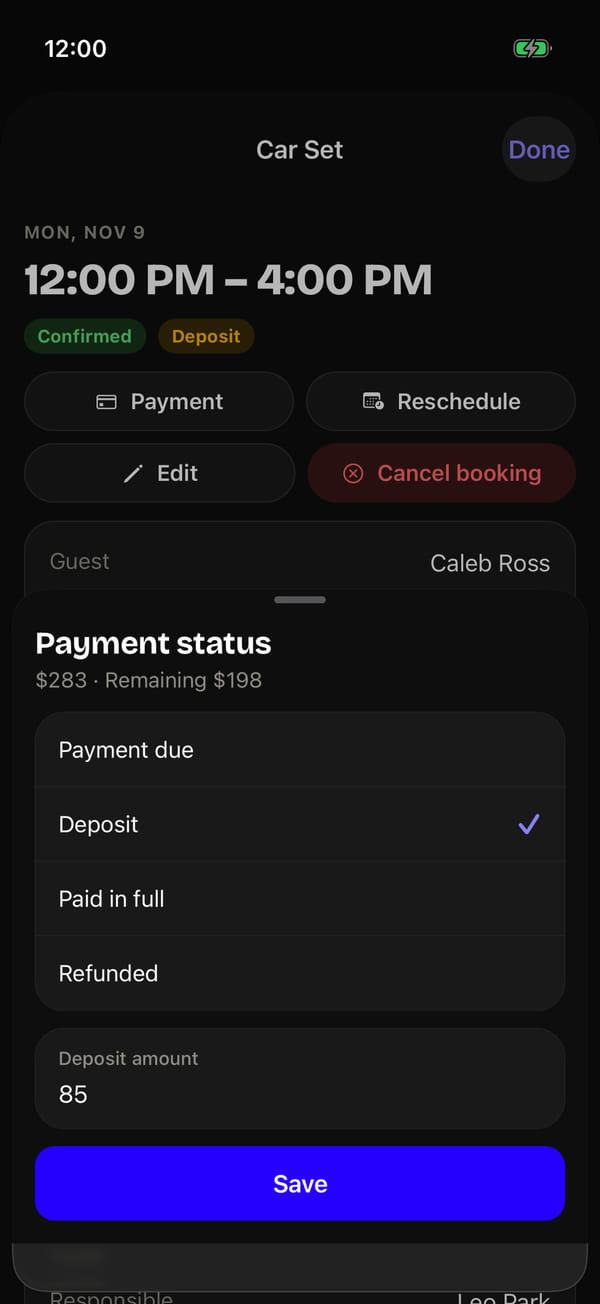
Payment, rescheduling, task status and checkpoints open in sheets over the list — native formSheets on iOS and Android. Lists fade in with a stagger, “done” ticks land instantly while the request is still on its way to the server, and all of it respects the system “Reduce Motion” setting. JavaScript errors from phones reach the server anonymised — emails and long numbers masked — and identical ones are grouped together.
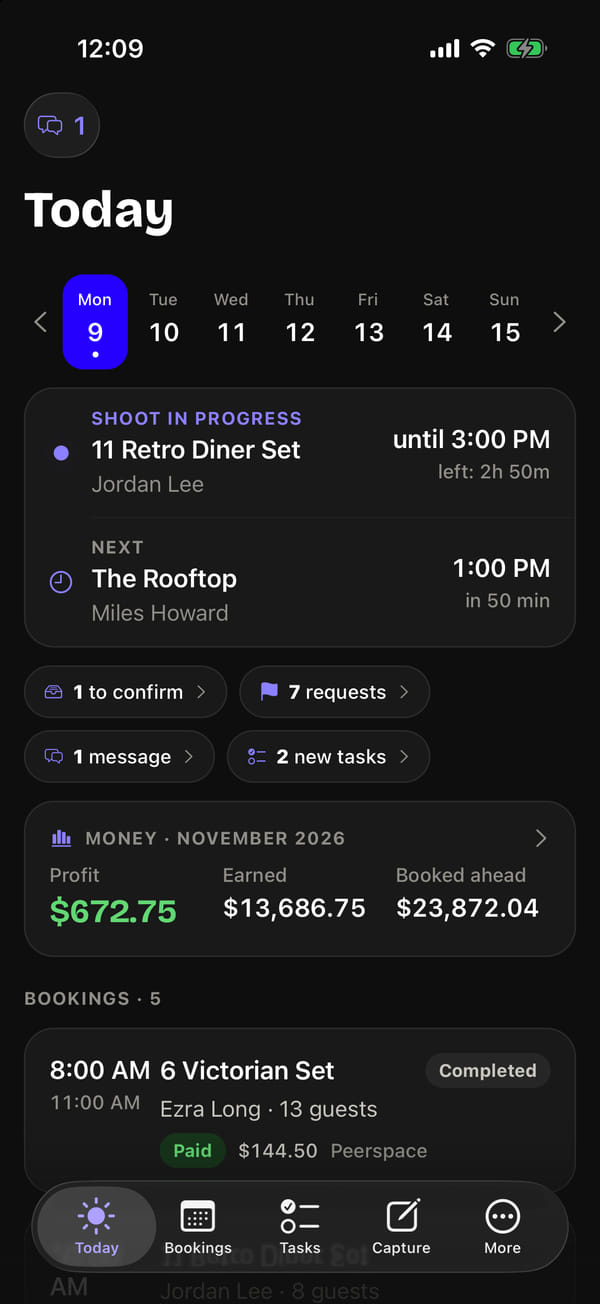
Screens

Entry by Face ID only; after 30 seconds away, the app locks itself
The home screen widget: what’s shooting now and what’s later — no guest names
The Live Activity on the lock screen: the set, the time and a countdown
Payment status in a sheet over the booking, without leaving the screen
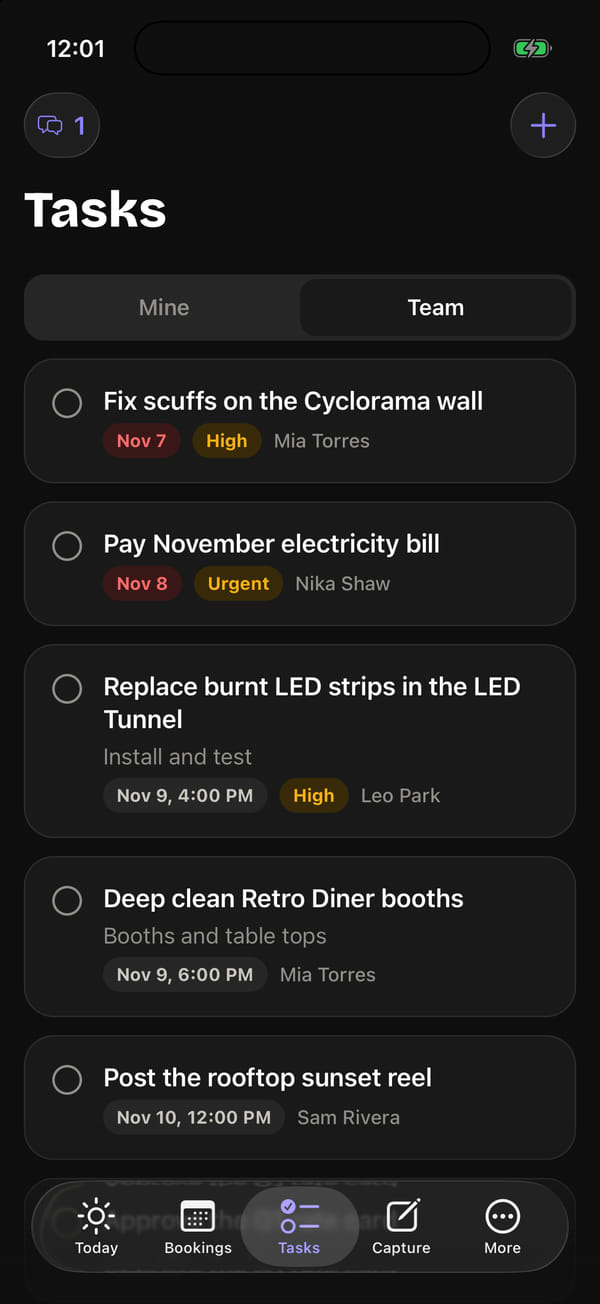
Team tasks: overdue in red, priority, the next checkpoint
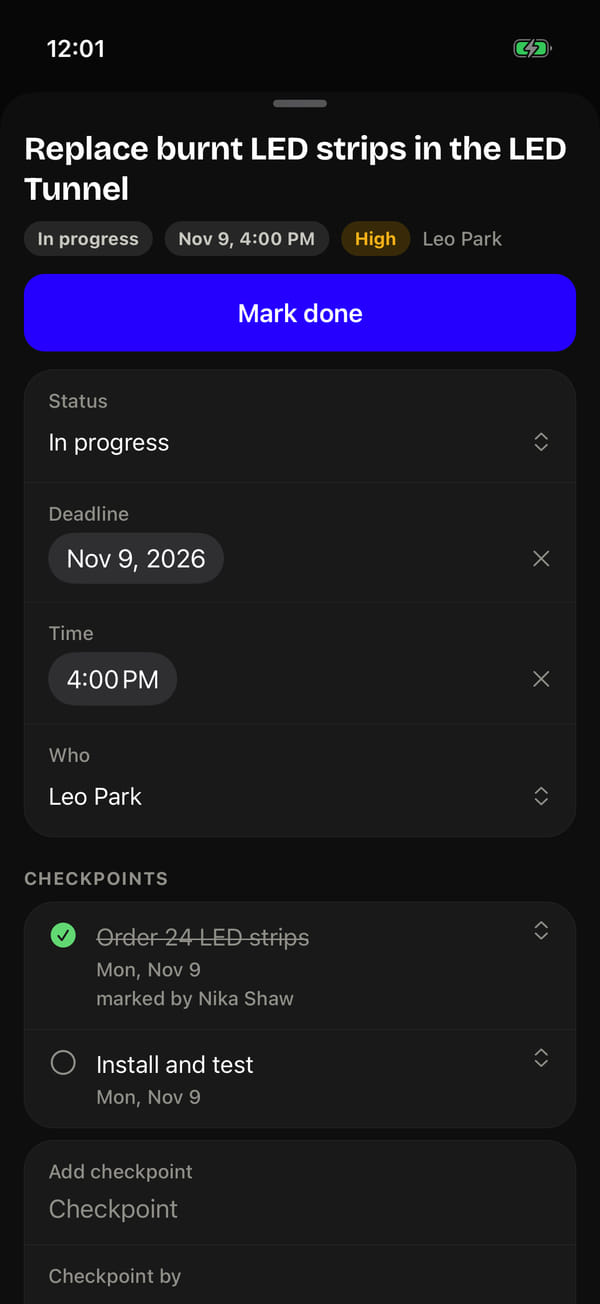
A task with checkpoints: who marked what as done, and when
“Capture” on the phone: the rules aren’t sure about the client’s name, so the field is highlighted
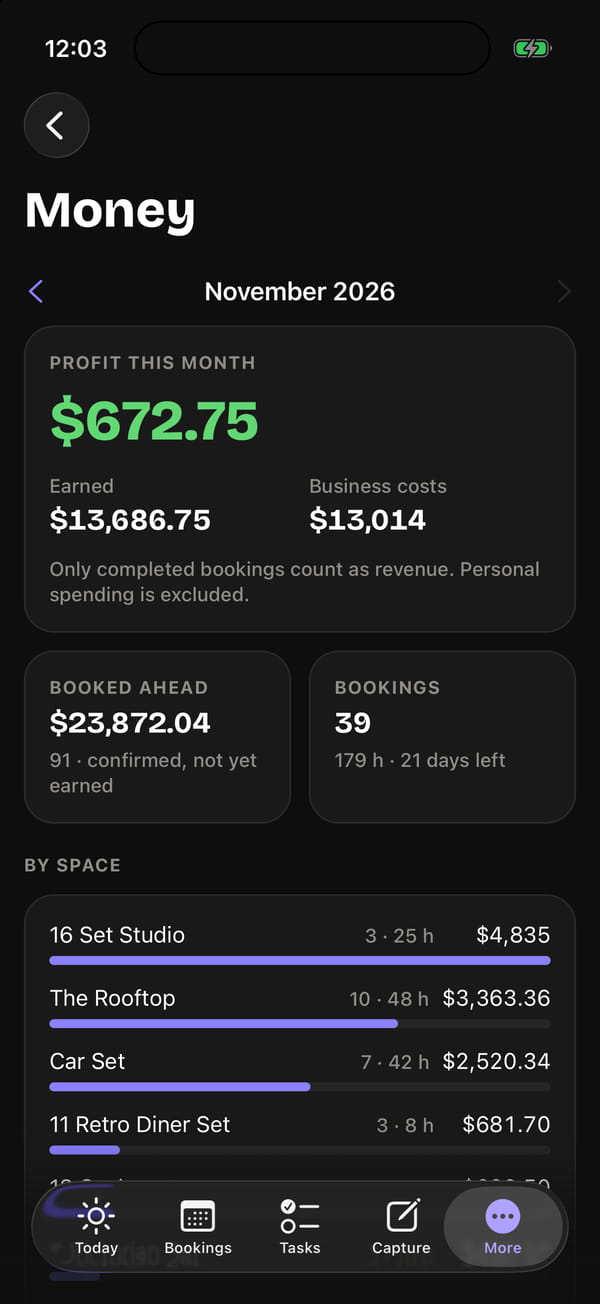
The month’s money — for the owner and the general manager only
Recording a meeting of up to two hours: the transcript and a draft go to “Capture”

Technology

Expo SDK 58, React Native 0.88 and React 19 with the React Compiler; navigation is Expo Router with the native tab bar — Liquid Glass on iOS 26, Material 3 on Android. Data goes through TanStack Query with no on-disk cache: close the app and no client data is left on the phone. The core shared with the guest app — studio-time formatting, the API client and the response types — lives in one monorepo.

The native side is written by hand: the Live Activity, the widgets and the Control Centre button are Swift in an app extension, the quick-settings tile and the widget tap receiver are Kotlin, and each has its own Expo config plugin. Builds are local, through Xcode and Gradle, with no cloud build services. The app has been built and tested on the iPhone simulator and the Android emulator; distribution to the team through TestFlight comes once the studio’s developer account is registered.

Does your team need a tool in their pocket?

Tell us what your people do on their feet and what they have to open ten times a day. We’ll build an app for iPhone and Android from one codebase — with your access rules and your data protection.

WhatsApp